Software
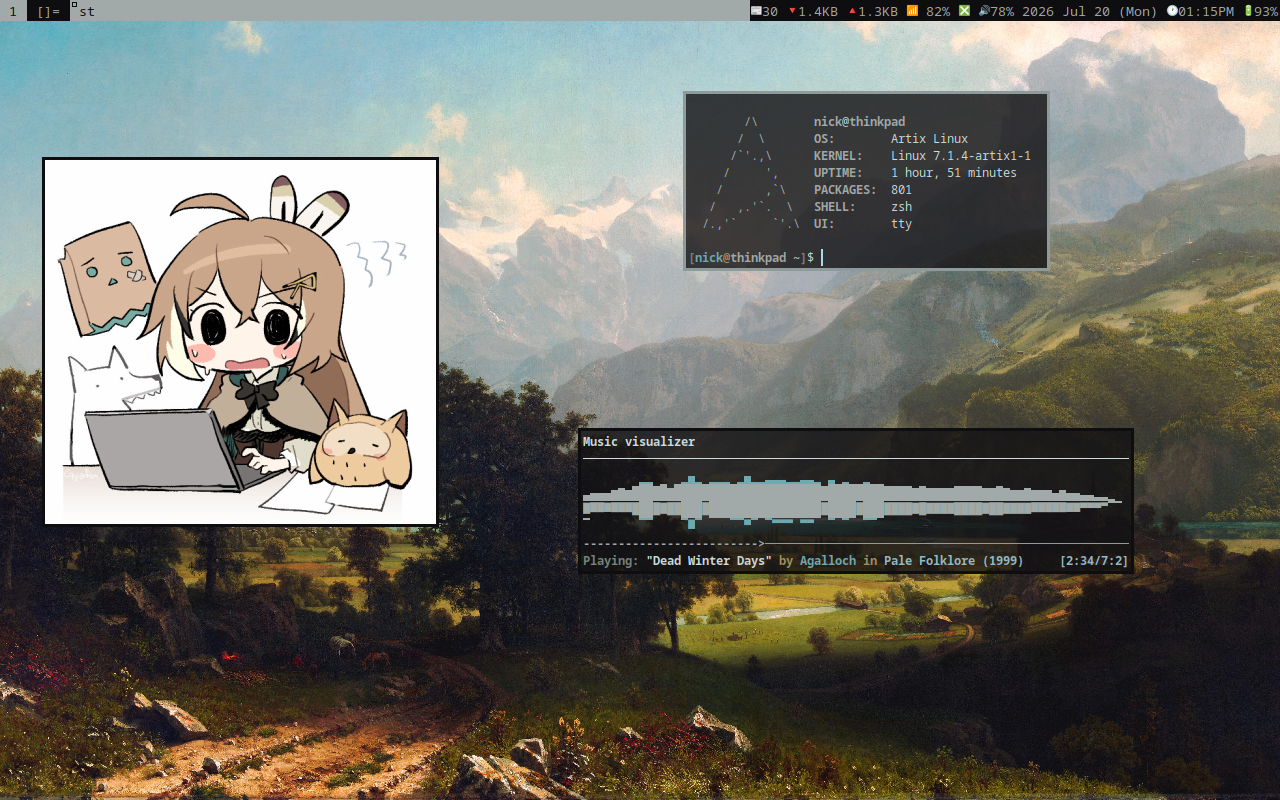
Basic
- Window Manager –
dwm,dwmblocks - Terminal –
st - Shell –
zsh - Text Editor –
neovim
I use these on Artix Linux (runit), installed & configured by LARBS as a meta-distro. See my guide for it.
Utilities
- File Manager –
lf - Image Viewer –
nsxiv - Video Player –
mpv - Music Player –
ncmpcpp,mpd - Document Viewer –
zathura(mupdf) - Email Client –
mutt-wizard,neomutt - RSS Reader –
newsboat - Torrent Client –
transmission
See the browser, torrent, & messenging pages for more on those.
Production
- Document Writing –
markdown,pandoc - PDF Editing –
ghostscript - Video/Audio Editor –
ffmpeg - Image Modification –
imagemagick/gimp
I also use vimwiki for notetaking. padoc
is available as pandoc-bin on Artix.
System
- Script Menus –
dmenu - Notifications –
dunst - Screen Lock –
slock - Audio System –
wireplumber(pipewire-pulse) - Audio Controller –
pulsemixer - System Colors –
xrdb(gruvbox) - System Information –
ufetch - File Search –
fzf - File Transfer/Backups –
rsync - Network Monitor –
nethogs - Screenshots –
maim
Miscellaneous
- Calendar –
calcurse - Dictionary –
sdcv(gcide) - Password Manager –
pass - Video Downloads –
yt-dlp
Most of these are also installed by LARBS.
Hardware
I use old Thinkpad models, currently I only have a T400 but used to have a X200 as well. They’re durable, easily repairable, & list for cheap on eBay—around $100 or $200. Get one Librebooted if you can, or do it yourself.
Most parts may be replaced for a cheap price from eBay &c. If a part, e.g. the palm rest, has a hole for another part which you do not want or need, e.g. the fingerprint scanner, it may easily be ordered without it.
If you need to replace, e.g. the CMOS battery, but don’t have the foam tape, use electrical tape wrapped around to be double-sided instead.
For paint repairs use automotive spray paint or vinyl wrap in a “dead matte black” color. See this blog post.
- Wireless Card
- The factory provided wireless card is probably proprietary & will not work with certain distributions with the Linux-libre kernel, e.g. Parabola. Get an Atheros WiFi Card (models AR5B95/AR9285). Depending on your model, you will need to Libreboot it as there’s a ridiculous BIOS white-list for hardware.
- 2nd SATA Adapter
- The optical disc drive can be replaced with a SATA to SATA adapter, enabling the connection of another HDD or SSD. It can be taken out easily with the switch & pull tab. The bezel of the optical drive can also be easily popped out & attached to a SATA adapter. If it doesn’t fit & you don’t plan to re-attach it to the optical drive, break of the pegs & put a layer of electrical tape over where the bezel will mount to & attach it with hot glue.
- ExpressCard
- A SD card adapter may be inserted into the ExpressCard slot. ThinkWiki recommends the SanDisk ExpressCard Reader/Writer (models SDAD0-109 & SDAD-111).